Table
Field – a column
Record – a cell or row
Primary key – unique identifiers
candidate key – the potential fields that can be primary keys
Validation – Field size, Required, Input Mask, Data type
simple query – searching for 1 criteria
complex query – searching for 2 criteria
flat file database – uses one table to store all data
Relational database – multiple tables linking with common fields
Flat file vs Relational
Flat file could introduce more repetition where as a relational database will eliminate this. Relational databases are harder to query however due to it’s ability to reduce data redundancy the results gained will be neater and more readable. Reducing data redundancy also saves space and time when processing the data.
Creating Databases
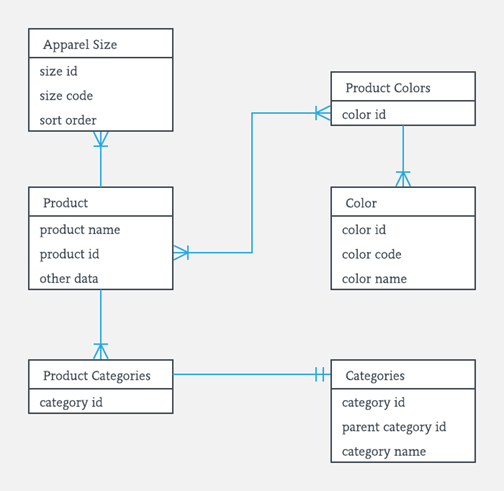
when creating a database an “entity relation diagram” should be used to plan out the diagram. This shows what all the primary and foreign keys and how they link together.
When designing your database you also need to consider how you will limit the user to help reduce errors created through bad inputting. this is done through the use of input masks. These limit the type and amount of an input the user can give. it can also limit the input to a specific style like post codes.
Forms
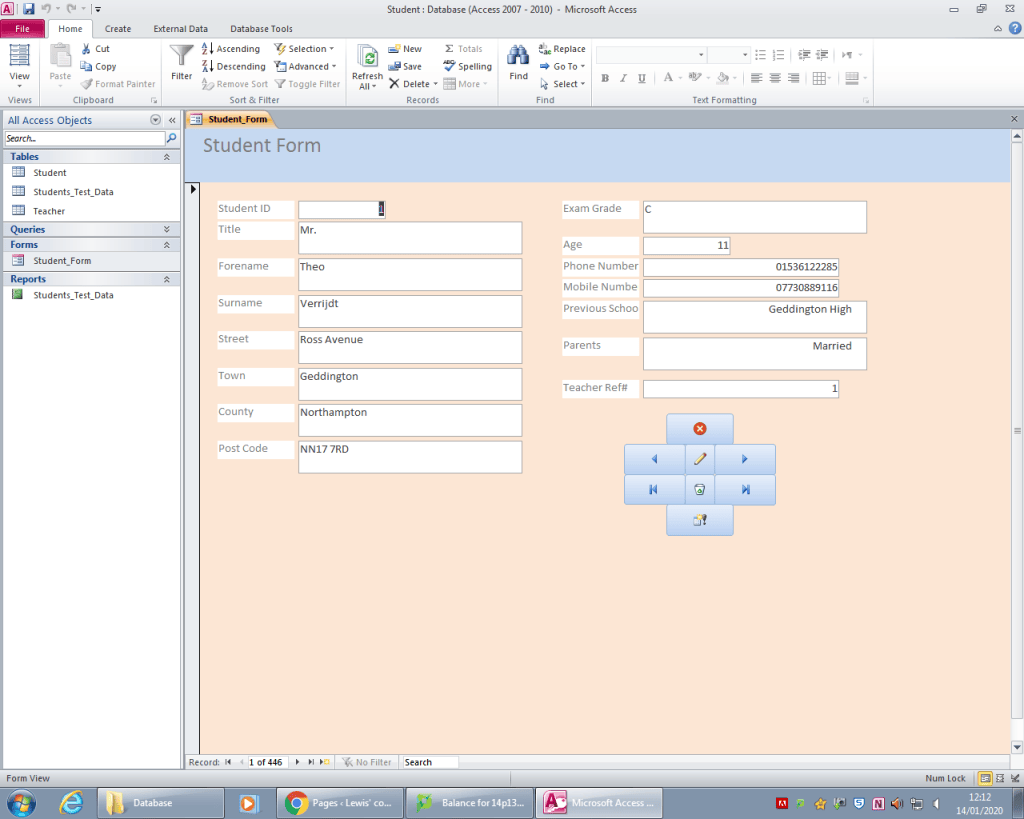
Data can be imputed and look at through the use of a form. this is a means of looking through, editing and inputting new records. this has the advantage that it gives a friendly GUI to the user and so allows less technical people to input data.
Reports
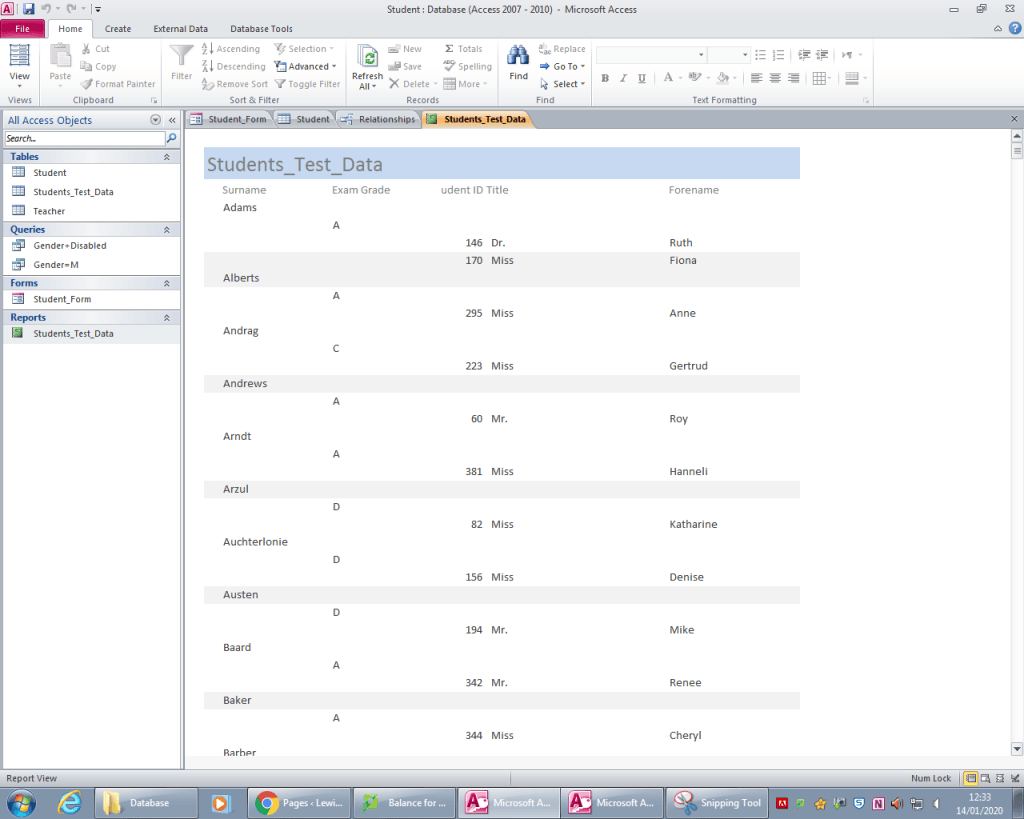
Reports are a way of fetching large amounts of data and sorting them to be viewed. These can then be printed. The disadvantage to reports is that no editing can be done to the records, it is purely a means of getting the data in a presentable form.
Queries
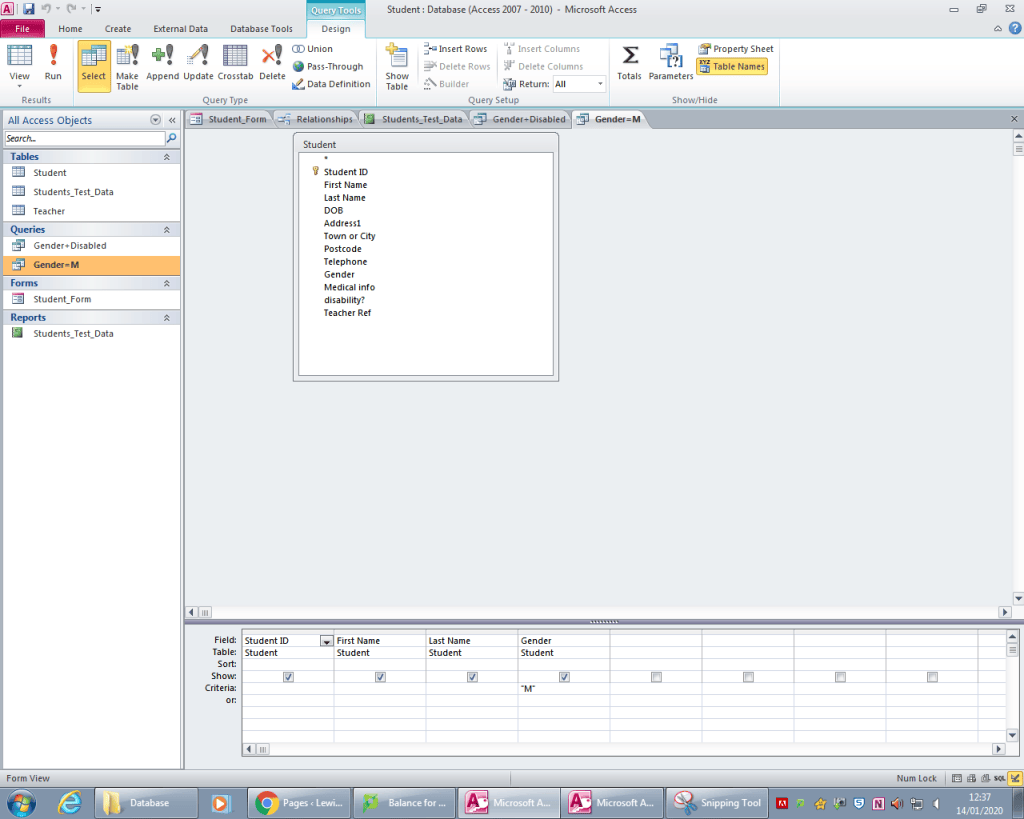
query are a way to search through data. This is done with the use of a set of criteria. This is the main reason why data integrity and redundancy is important. These can be simple and only look at one field or could include a multitude of fields and produce a specific outcome.
Relations
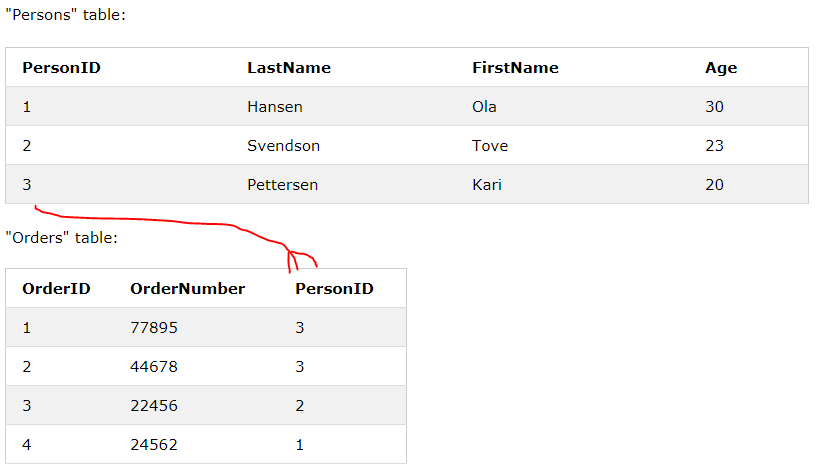
1:1
one to one is the most basic type of relations. This is where one record from a table will only correspond to one record in another. The primary key from one table will be added to the other to form this relation.
1:M
One to many is a more complex form of relation. This is where one record will correspond to one or more in another table. is this set p the foreign key is placed on the many side linking one record to many.
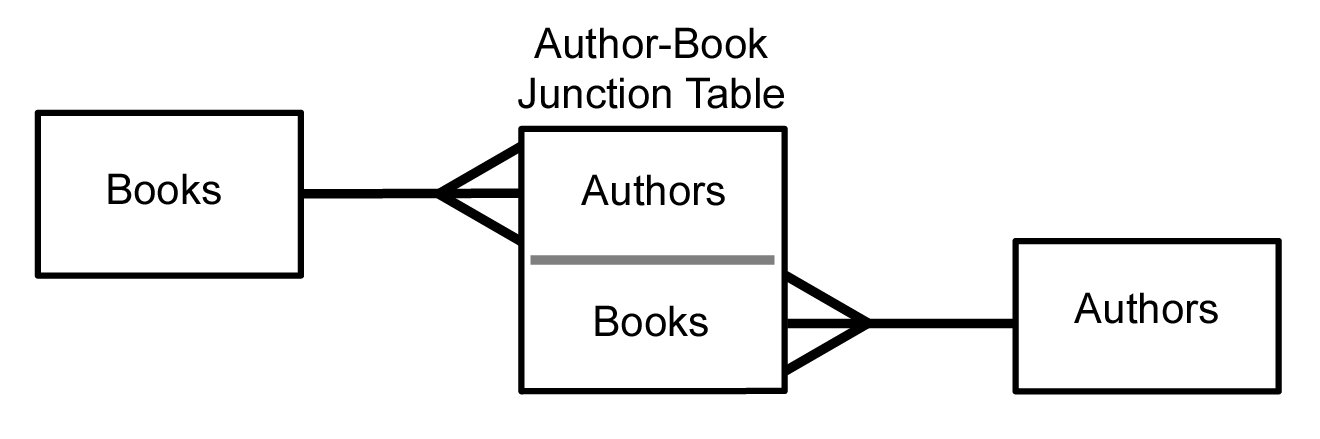
M:M
Many to many relations are not used in databases as they are bad for data integrity and redundancy. mainly when sorting or querying. Instead a linking/joining table is used. This creates a middle ground to link them together. This becomes 1:M:1. This sis created with it’s own Primary key(often a compound key formed by the two foreign keys of the tables being joined).
Normalisation
Normalisation is a process used to come up with the
best possible design for a database. Tables should be organised so that data is not
duplicated in the same table or in different tables. The structure should allow complex queries to be made
There are three stages in normalisation, called First
Normal Form (1NF), Second Normal Form (2NF)
and Third Normal Form (3NF)
First normal form (1NF)
1NF is designed to make a database simpler and easier to manipulate. this is done by removing duplicates and ensuring no data point has more than one entry. E.G first name and surname bust be broken down into separate data points so that queries can be done on these data points.
Second normal form (2NF)
A table is in second normal form (2NF) if it is in first normal form and contains no partial dependencies (a piece of data that doesn’t necessarily need to be in a table with that Primary key is moved to a more appropriate key)
Third normal form (3NF)
for a table to be in third normal form it must first be in 2NF. Then any fields which do not directly and fully rely on the primary key are moved and either placed in to an existing table where this is true or are made into their own tables with relations to existing ones with primary keys made if necessary.
Data Integrity
-> No redundancies
-> Accuracy of data
-> Consistency
-> Completeness
Referential Integrity
Is the use of relationships within a database with foreign keys to ensure data is unique, accurate, consistent and complete.
ACID
Atomicity, Consistency, Isolation, Durability
– Atomicity
Ensuring a a transaction is processed in it’s entirety or not at all
– Consistency
This property ensures no transaction can violate any of the defined validation rules.
– Isolation
Isolation ensures that concurrent execution of transactions leads to the same result as if the transactions ere processed one after the other. This is crucial in a multi-user database.
– Durability
This ensures that once a transaction has been committed, it will remain so, even in the event of a power cut. As each part of the transaction is completed, it is held in a buffer on disk until all elements of the transaction are completed. Only then will the changes to the database tables be made.
Validation vs Verification
| Types of validation | Description | Example |
| Presence check | Similar to required field. It ensures data is entered that my not be able to gotten again after. | Email on an order as otherwise they would have no way to contact you and get that or more data in future. |
| Type check | Checks the type of the data entered | e.g ensuring there aren’t numbers in a name |
| Format check | Checks that data has been entered in a specific format that is expected | e.g. dd/mm/yyyy |
| Length check | Ensures the data entered is above, bellow or and exact amount of characters. | the name entered isn’t an excessive amount of characters |
| Range check | Ensuring a number entered is within a specified range. | E.G the day of the month is between 1 and 31 |
| Check digit | where a mathematical calculation is applied to the original number. then when the number is received if the same calculation is done and the same digit is gotten the number will likely be the same | e.g. on barcodes |
| Spell check | checks against a set of words to ensure the word has been inputted correctly | e.g. word spell check |
| Lookuptable | checks an inputted value against a table of pre-approved values |

