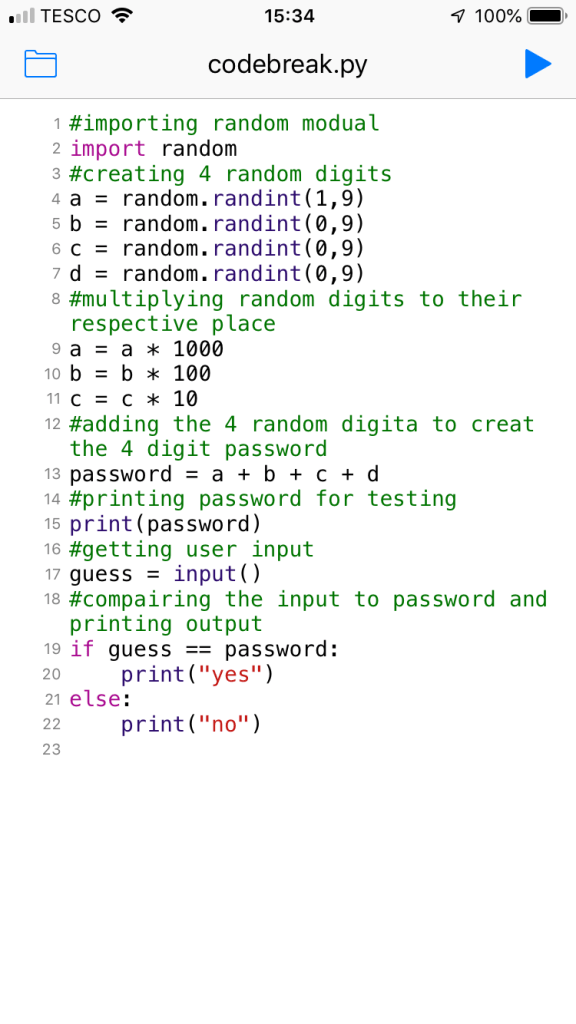
I started the homework on holiday after not having properly read the requirements this lead to my initial program not hitting the brief however this gave me the insight and knowledge to help produce my later final script which does hit these requirements. I was also writing in Python 2 which produced more problems but helped me better understand the language as I ported the code into Python 3. My first problem was the password generated as I had to find a way to make sure it was able to have a leading 0. For my First attempt I ignored this to try and get a working prototype.
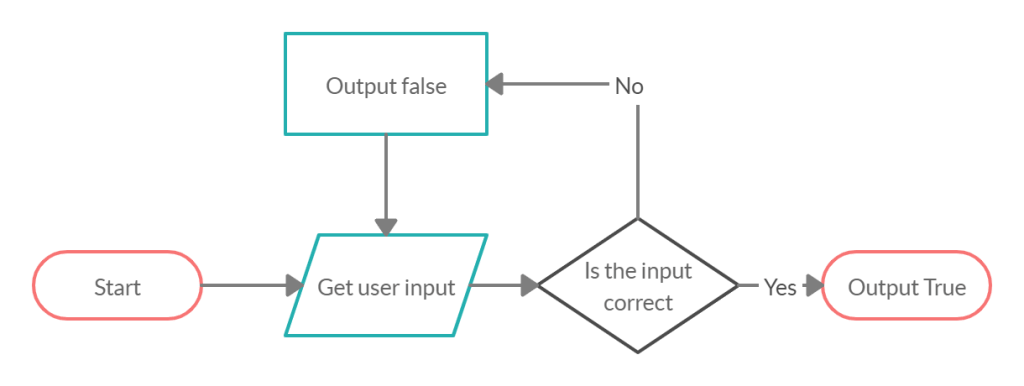
This was my initial flowchart and after writing the basis for this I found I ran into a few problems after testing. The main problems were user input not being suitable. I.E. the input was too long, short or in an incorrect format. also that the password generated wouldn’t have a leading 0. so I made a new script that would better deal with the generated password issue.
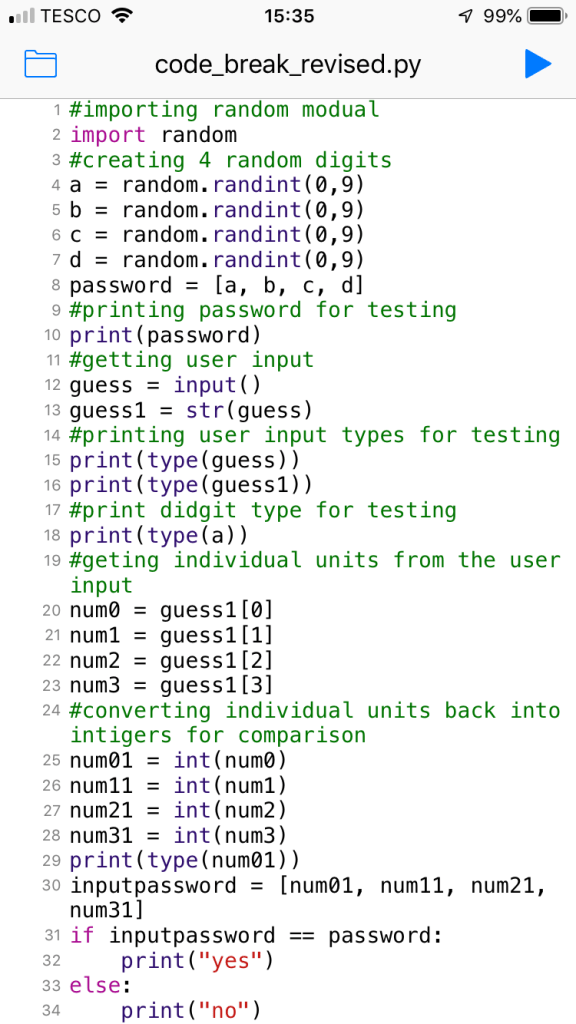
This was a very convoluted way to get things to work it was also down to Python 2’s inputs being awkward (More on this later). this primarily worked by splitting the password up into individual digits and storing them in a list rather than as an integer so it could store the individual 0 fixing the first problem. The user input would also be split up and placed into a list. The two lists would then be compared and an output given. this fixed the leading 0 problem for the password. However due to Python 2 if an input is an integer with a leading 0 it become base 8. the fix for this is to use ” Raw_input() “.
I started work on a new flowchart which would assess the input and report weather it was too long or short.
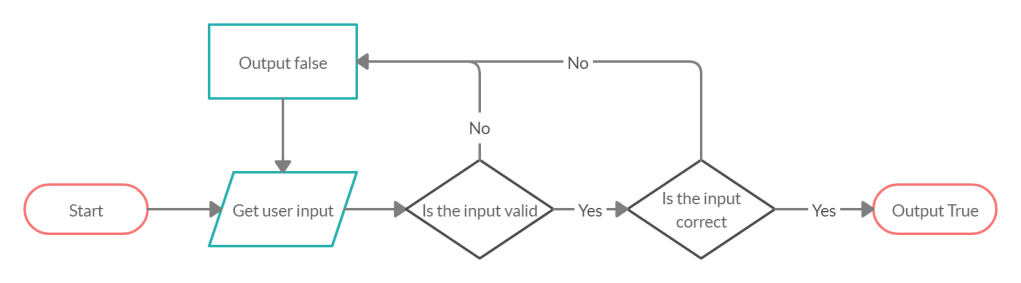
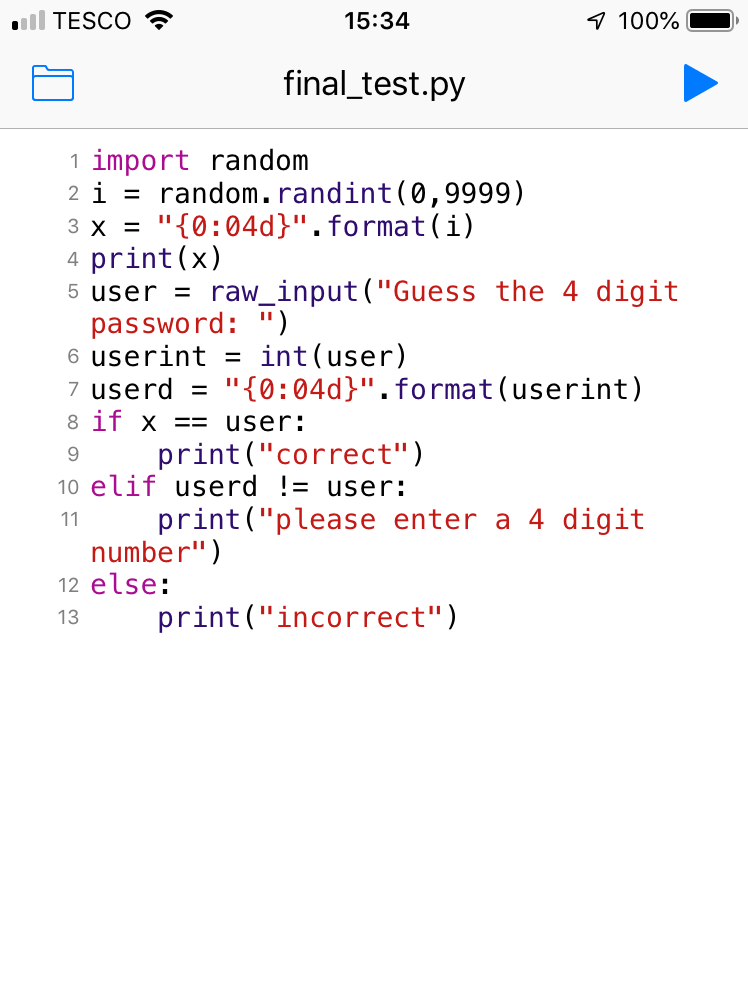
This new flow chat felt promising however I had to find out how to validate the user input in initial testing I only thought about integer length and not character type which lead me to writing this :
This was promising as it had a few new features I had learnt. First of it uses a new way to create a password with leading 0s it does this by first creating a number without then formatting it to be 4dp long adding 0s in empty gaps. this is more compact and neat. The next new feature is the use of ” Raw_input() ” to prevent the base 8 issue. The input is then ran through the same formatting as the password and checked against the unformatted input. This was done to validate the length of the password to check it was exactly 4 digits long however I insufficiently tested this and later found that an input longer than 4 digits was not cut down during the formatting step thus was undetected. during this testing I found that inputting a non numerical character created an error. this was due to it trying to be made an integer on line 6. this meant that I need to find a new way to validate the input.
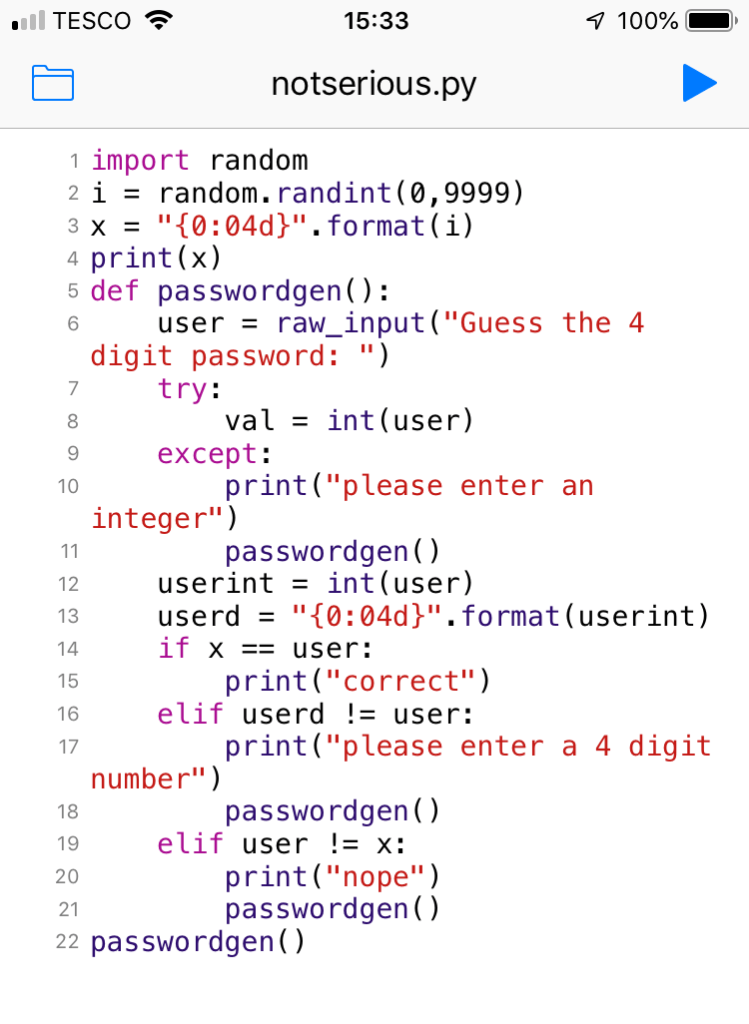
While looking for input validations I found “Try: Except:” which works perfectly for my situation. I used it to write a new script using this as another step of input validation. in this script I still used the old length check and so it still has the same issue with inputs longer than 4 digits characters. The try and except is used as an error catcher and so it tries to turn the input into an integer, if it cant it executes the except code, in our case reporting to the user it input an integer. I also placed the user input section into a function as this meant I could repeat it. and so when the user inputs an invalid or incorrect input they try again.
Still on holiday I felt this was incomplete and so added a function to limit the attempts of the user to later read and wright results to a text document. My Final flow chart From holiday was:
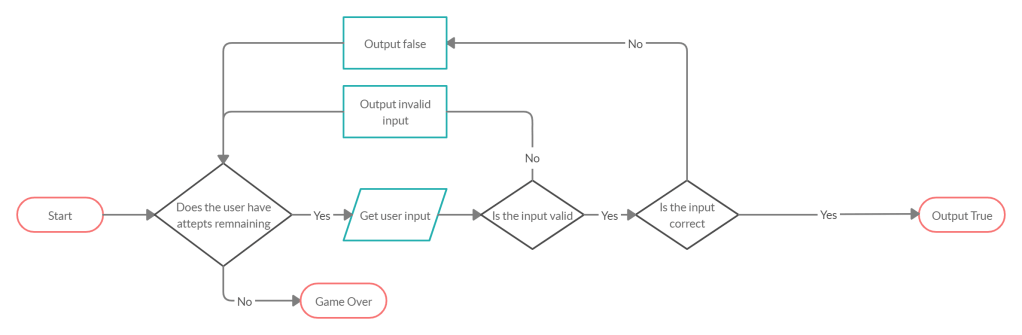
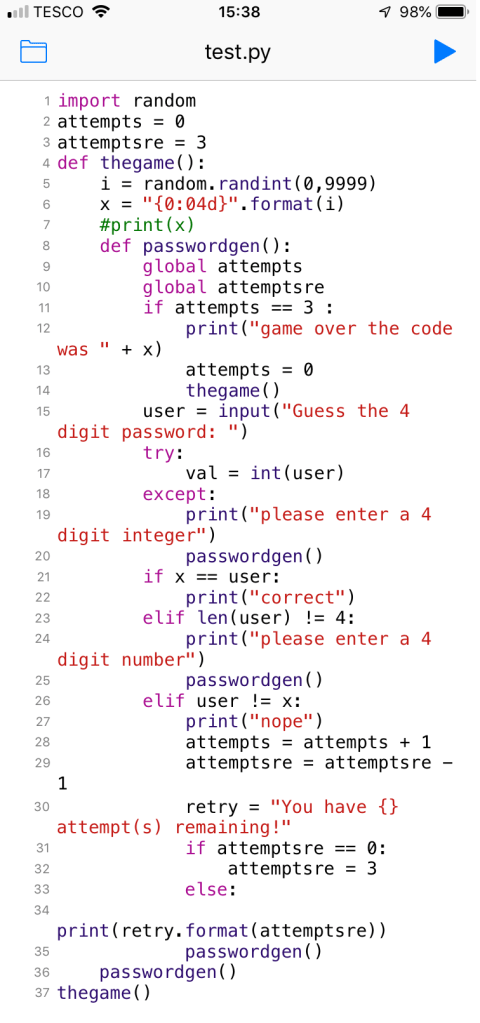
From this I wrote my Final code from my holiday I had switched to Python 3 and so no longer needed to use ” Raw_input() “. I also changed the user length validation opting to use a simple ” len() != 4 ” . I added 2 new variables to track attempts remaining and attempts tried. This added unnecessary complexity and in future I would just do one then subtract it from it’s maximum to find the other. I added 2 to track when the user had used all their tries and one to track how many thy had used so that if a guess was successful it could be written to a text document with how may goes it was achieved in. however only the one counter would have sufficed. I also add the password generation in a function so that the game can be re-set when it ends. The main issue I faced when writing this was due to local and global variables however this is easily fixed with the “global” command
After returning Home from holiday I re looked at the assignment and found I had not hit the brief so using what I had learned I got to work making a new flow chart and worked from there.
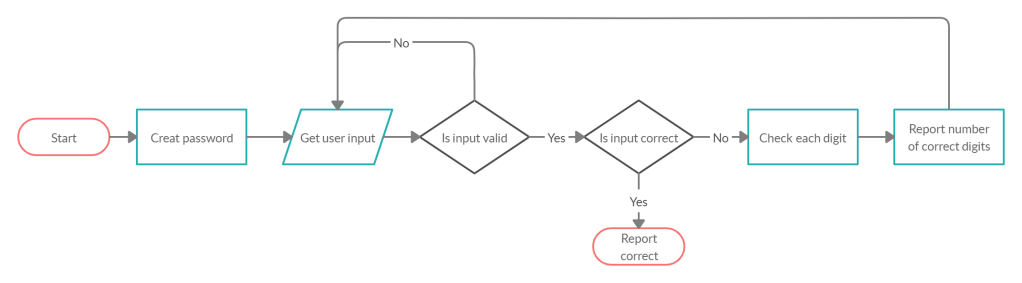
This was the Flow chart I came up with. In the task it said “it will say how many numbers they got correct, but not in which position they got right.” I read this to mean that for a number to be “correct” it must both be the correct number and in the correct position and the report will only say the number of correct numbers. I chose this rather than reporting correct if the number was in the password but in a different position. I used the same formatting for the password generation and the same input validation I just added a for loop to check each number.
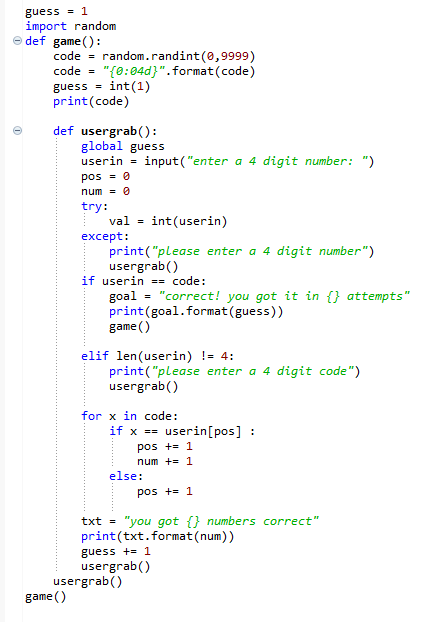
This was my final piece and I think it was my best as it was neat and concise having used everything I had learnt from previous iterations.

